Begin with the work
Think about the moment you want to make easier: recording an idea, shaping a sound or listening closely. A useful tool solves a specific interruption in that process.
Pay attention to the controls
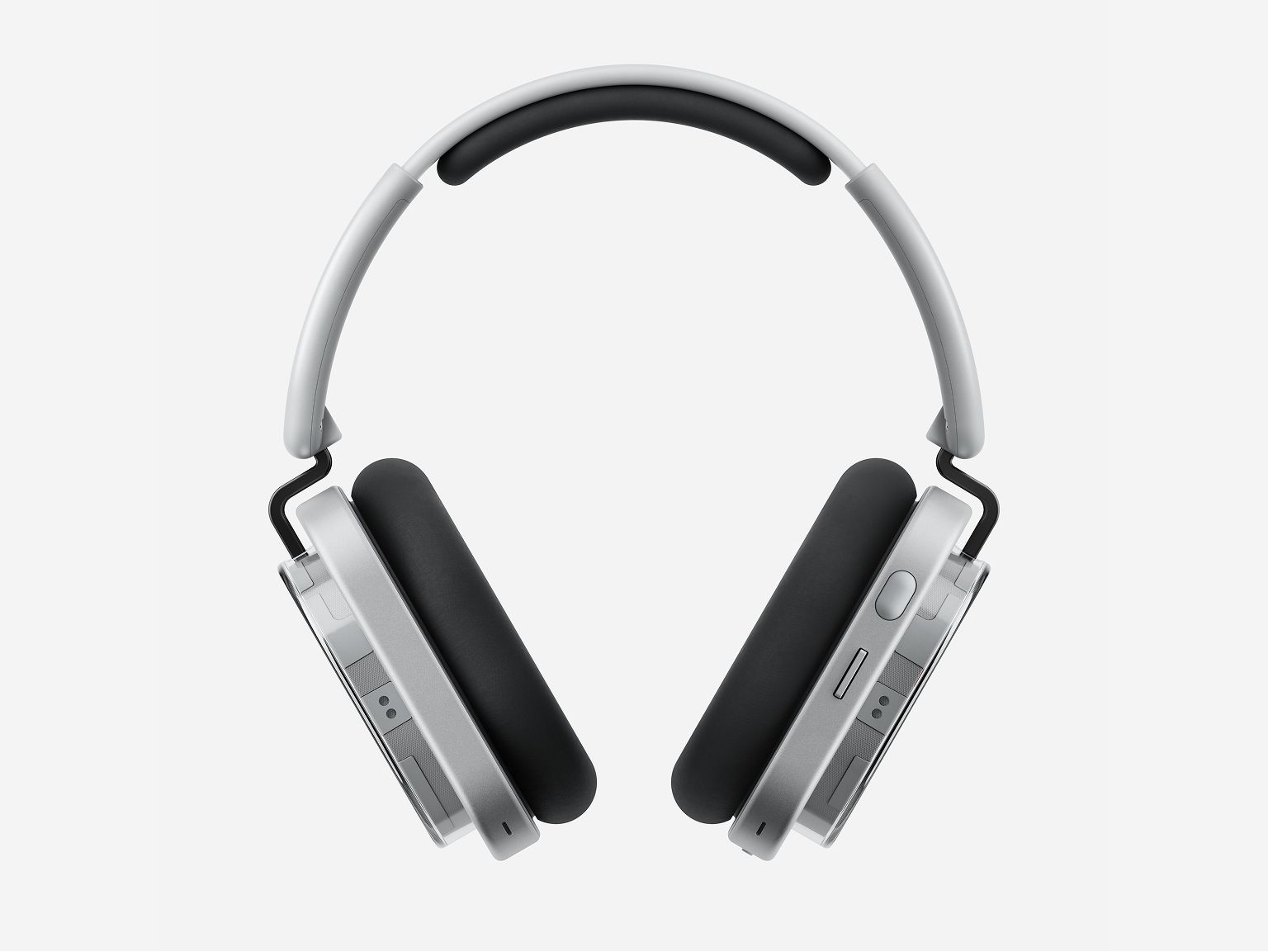
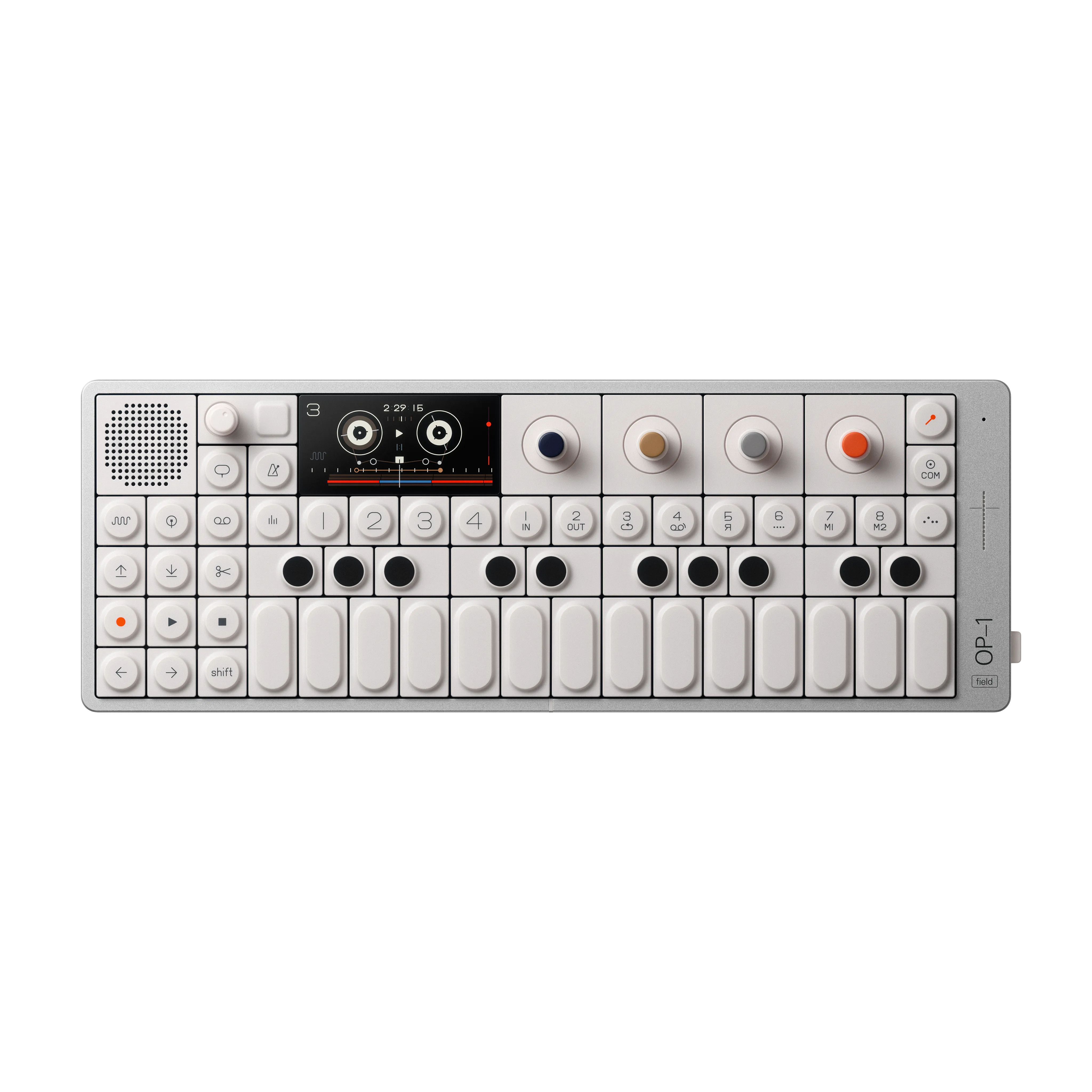
The OP–1 field is a music-making and recording tool; Headphone (1) is a listening product. They illustrate different roles in a creative process. Investigate the controls required for your own task rather than assuming either device will make that task easier. We have not tested their handling or their use together.
Consider the whole setup
Portability includes power, audio, connections and the time needed to get started. A built-in speaker or microphone can matter more than an impressive specification if it helps you capture an idea.
Leave room for a trial
Ergonomics and workflow are personal. Manufacturer specifications can narrow a shortlist, but they cannot tell you how a product feels in your hands. Check the merchant’s current availability and return terms.
Identify the interruption before the object
Take one recent creative session and describe where progress stopped. Did you lose an idea while preparing to record, spend too long reaching a control, or struggle to move a draft into the next tool? Choose one interruption to investigate. This makes a hardware decision smaller and more useful. If you begin by asking which device is most inspiring, almost any attractive object can appear relevant. If you begin with a specific lost step, you can ask whether the proposed tool actually removes it and what new steps it introduces.
Keep creation and listening in separate roles
OP–1 field and Headphone (1) illustrate different parts of a creative setup. They are not alternatives to each other, and their appearance together is not a verified pairing recommendation. The former is an instrument and recording-oriented product; the latter is a listening product. Identify which role is missing from your process before comparing either with something else. If you are evaluating a complete arrangement, check the exact connection requirements independently. A shared emphasis on design or portability does not establish compatibility or prove that buying both would improve your work.
Design a tiny repeatable project
Choose a task small enough to complete in a demonstration: capture a brief idea, make one change, save it and locate it again. Use the same task when investigating alternatives. It should resemble your work rather than showcase every feature of the device. For a musical tool, the useful question might be whether you can return to an idea after an interruption. For listening, it might be whether the controls and connection fit the way you review material. We have not performed these trials; they are practical steps for forming your own judgment.
Count decisions as well as button presses
A direct physical control can be appealing, but the number of buttons is not a measure of simplicity. Notice whether you understand which state the device is in and what will happen next. Can you undo a change, recover after an accidental action and continue without searching for an explanation? Record the points where you hesitate during a trial. Some learning is reasonable for a creative instrument, and familiarity can change the experience. The question is whether that learning serves a process you want to adopt, not whether a stranger’s demonstration looks effortless.
Follow the work into the next stage
Before judging a portable creative tool as self-contained, decide where the result needs to go. Will you continue editing on a computer, send a file to a collaborator or keep the material within the device? Read the current manual for that route and try it with a small sample where possible. A successful capture and a successful handoff are different milestones. Include file organization in the exercise so you can find the result later. Do not assume that every export preserves the same ability to change individual parts of a project.
Separate convenience listening from production evidence
A pair of headphones can be useful for everyday listening without automatically becoming a validated reference for every production decision. Decide what you need to hear and which connection you intend to use. If your work requires timing-sensitive monitoring or a specific production workflow, seek documentation and relevant testing for that exact arrangement. We do not claim that Headphone (1) was tested in such a role. Its inclusion is an invitation to consider listening controls and daily use, not a certification of studio suitability or a measured judgment of sound accuracy.
Make portability include setup and packing
Picture using the tool away from your usual desk. List the power, connection and storage items required for the task, then consider what must be charged, carried and put away. A small main device can still require a complicated supporting arrangement. Conversely, a slightly larger item may suit your routine if it removes a step you repeatedly find inconvenient. These are observations to make about your proposed kit, not general claims about either featured product. Try packing the complete setup before deciding that a compact product photograph represents the whole carrying experience.
Budget for a working process
Separate required accessories from optional additions, and distinguish a one-time purchase from any software or service expense you plan to incur. Include the time needed to learn and maintain the workflow. We have not verified current regional prices or every accessory package, so this guide does not offer a total cost figure. The useful exercise is to make those costs visible before comparing choices. An apparently expensive tool may or may not replace other equipment; an apparently inexpensive one may or may not need additions. Establish the facts for your own arrangement.
Decide what evidence would change your mind
Set a simple condition before a trial: you can capture and recover an idea without losing your place, or you can perform the listening adjustments you need without interrupting work. If the condition is not met, investigate whether learning, configuration or a different tool would address it. Avoid inventing a new requirement just to justify an appealing purchase. The related product pages and original manufacturer sources provide starting points for that investigation. This is a workflow guide, not a claim of hands-on experience, a universal recommendation or evidence that new equipment creates better ideas.
Added explicit sources and clarified separate creation and listening roles.
Sources & further reading
- OP–1 field product documentation ↗Teenage Engineering · Manufacturer · Checked 2026-09-27Supports: Identity and music-making/recording role; workflow exercises are editorial guidance.
- Headphone (1) product page ↗Nothing · Manufacturer · Checked 2026-09-27Supports: Exact-model identity as a listening product; no studio-monitoring or pairing claim.
Source-based reporting. This article does not represent hands-on testing. Sources checked 2026-09-27.