Start with a verb
“AI-powered” is a label. “Follows a presenter around the frame” describes something you can evaluate. Look for a concrete task and decide whether it matters in your own use.
Separate the camera from the claim
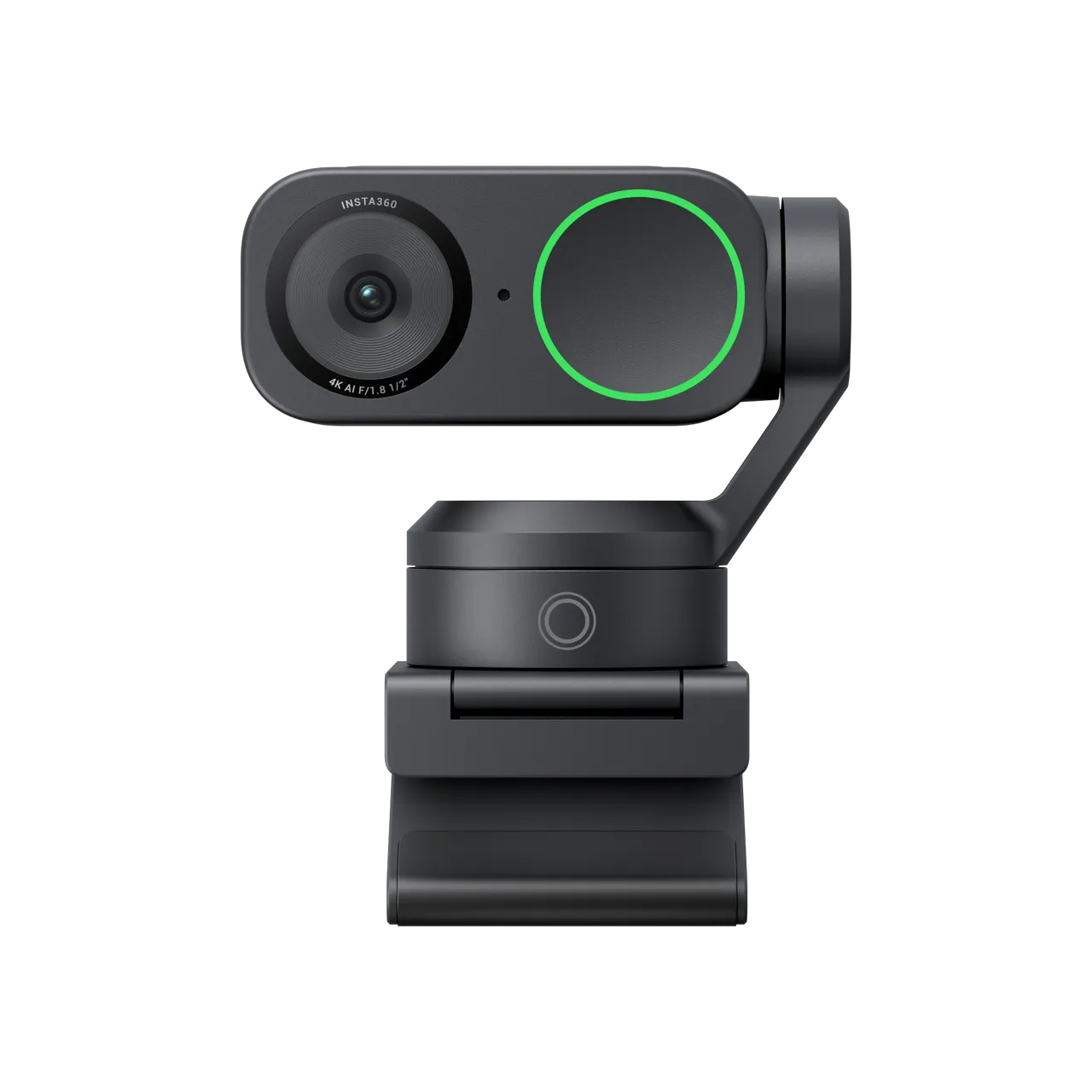
Insta360 describes AI tracking and AI noise reduction for the Link 2. Its motorized gimbal makes the tracking visible: the camera can move as the presenter moves. That is a useful example of a capability, rather than an abstract promise of intelligence.
Ask where the work happens
On-device, cloud and hybrid processing have different implications for connectivity and data handling. If a manufacturer does not clearly explain the location of processing for a particular feature, mark it unknown rather than assuming.
Know what has been checked
Our classification describes the manufacturer’s stated features. It is not a hands-on performance review or a privacy guarantee. Check the manufacturer’s current documentation before making a decision.
Distinguish physical movement from reframing
Insta360’s documentation makes a useful model distinction: Link 2 uses a gimbal that physically pans and tilts, while Link 2C describes automatic reframing. Do not treat the two names as interchangeable because they appear on the same page. The practical question is which behavior suits the scene you want to show. A presenter who moves around a room and a person who stays at a desk may prioritize different things. Neither a moving camera nor an automatic crop establishes that the final framing will always include the object you intended to discuss.
Start with what the audience needs to see
Describe the frame from the viewer’s perspective. In a lesson, the audience may need both your face and a demonstration surface. In a meeting, they may only need a stable view of the speaker. Tracking a person can be useful without solving the entire composition problem. Put the necessary objects in their intended positions and check how they relate to your movement. This turns a vague desire for a smart webcam into a concrete scene that you can test. It also reveals situations where a deliberately fixed view might be preferable.
Use a movement sequence you can repeat
If you can try the camera, begin seated or standing where you normally start. Move to one side, pause, return, then briefly reach for an object. Watch the resulting recording rather than relying only on the live preview. Ask whether the movement helps the audience follow the explanation or distracts from it. Repeat the same sequence if comparing another mode or camera. These are proposed test steps, not our findings about Link 2. We have not measured tracking speed, recovery after losing a subject or performance in difficult lighting.
Check how you stop or override automation
Useful automation should fit a task you control. Before relying on tracking for a presentation, find the documented controls for enabling it, stopping it and choosing the relevant mode. Practise returning to a predictable view after an interruption. If you use a controller application, verify that it is supported on the computer you will actually use. An impressive demonstration on another system does not settle your setup. Think of manual control as part of evaluating the feature, rather than assuming automatic behavior is always the preferred state for an entire session.
Treat framing and sound as separate outputs
A viewer can be perfectly framed while speech is difficult to understand. Conversely, clear speech does not compensate for missing the object being demonstrated. Insta360 advertises AI noise-reduction capabilities, but that does not give us a measured result for your room. Evaluate the recorded picture and recorded sound separately, using ordinary speaking and movement rather than only a carefully arranged still scene. If another microphone is part of your setup, identify which input the application actually uses. Otherwise, you may attribute a result to the webcam when a different device supplied the audio.
Follow the image into the meeting application
The camera’s documentation describes its capabilities, while your chosen application determines the workflow in which you use them. Check the selected camera, microphone and available settings before an important call. Ask a colleague to describe what they receive, or review a permitted test recording, rather than assuming your preview matches the final experience. This is a setup check, not a claim about any particular application’s limits. It helps separate a camera problem from a connection, configuration or application issue before you decide that a different product is necessary.
Keep privacy questions feature-specific
A physically moving lens tells you something about how framing changes, but it does not reveal where every related software operation takes place. Nor does an AI label tell you what information an application retains. Consult the relevant documentation and settings for the feature and software you intend to use. If the processing location or data handling is not established, say so. This article does not independently audit Link 2’s privacy or security. The important distinction is between observing a visible behavior and claiming knowledge about the entire processing path behind it.
Know when tracking adds little
Consider a task in which your position and the subject remain fixed. If a stable, deliberate frame already shows everything the viewer needs, tracking may not solve a problem. On the other hand, a task that regularly takes you away from that position gives you a concrete reason to investigate it. This is not a ranking of automatic and manual operation. It is a way to avoid paying attention to an AI feature merely because it is prominent in the marketing. The relevant measure is whether the audience can follow your work more easily.
Turn the label into a decision
At the end of the investigation, you should be able to describe the feature without the word AI: the camera follows a moving presenter, for example. Add the conditions you verified and the limitations you have not resolved. Then decide whether that behavior addresses the scene you planned. The product link below leads to the exact Link 2 profile, while the source list identifies the manufacturer documentation behind the model distinction. No performance score, independent tracking test or claim of guaranteed framing is implied by our classification.
Added explicit sources and distinguished Link 2 physical tracking from Link 2C reframing.
Sources & further reading
- Link 2 and Link 2C feature documentation ↗Insta360 · Manufacturer · Checked 2026-09-27Supports: Link 2 gimbal tracking, Link 2C reframing, controller options and manufacturer-stated audio features.
Source-based reporting. This article does not represent hands-on testing. Sources checked 2026-09-27.